
USB-C Hub 6-in-1: 4K HDMI, 10Gbps Data, 100W PD
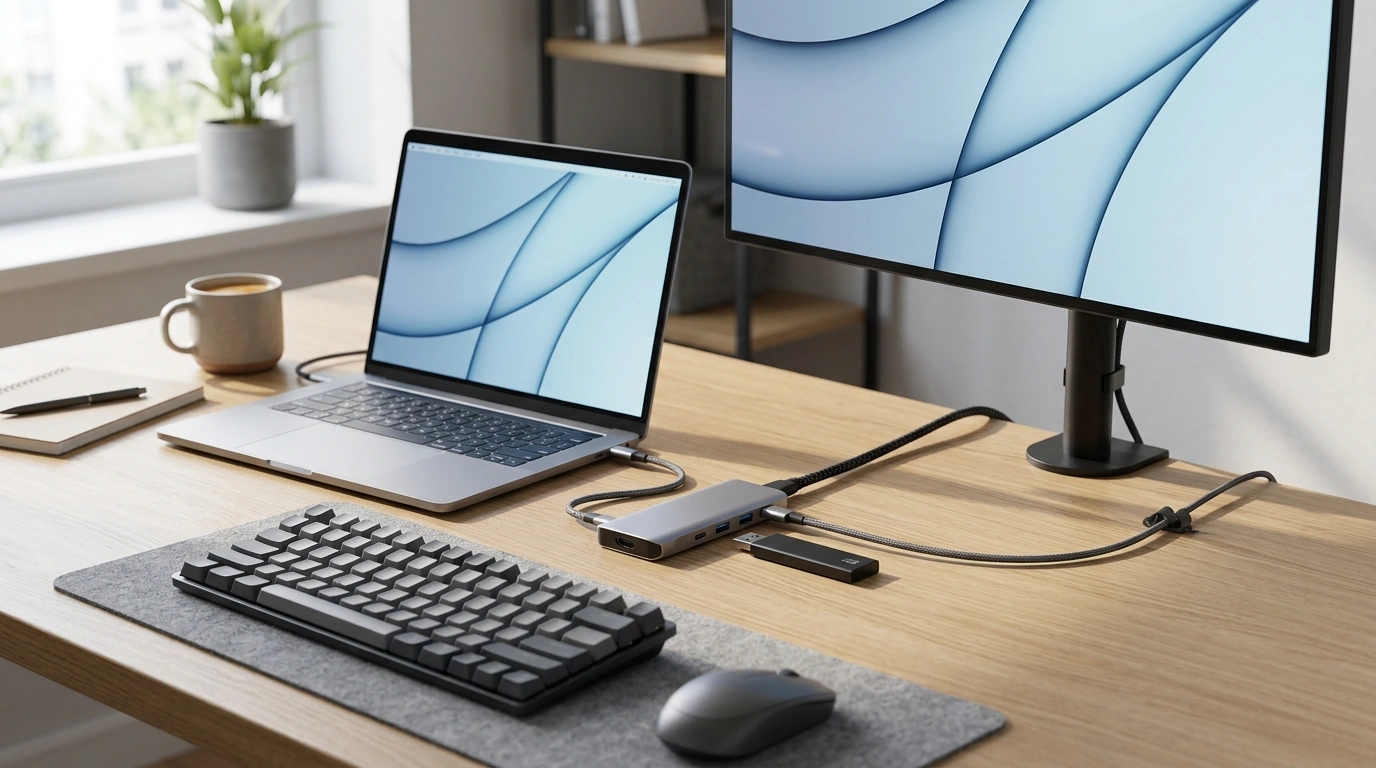
USB-C Hub 6-in-1: Turn One USB-C Port into a Practical Workstation
A compact USB-C hub can turn one port into a full workstation—adding a 4K display output, fast USB data for external storage, and pass-through charging so a laptop stays powered while peripherals stay connected. Whether the goal is a cleaner desk setup or a lighter travel kit, a 6-in-1 hub is a straightforward way to connect a monitor, move files quickly, and keep battery anxiety out of the workday.
If you’re shopping for a reliable everyday option, the USB-C Hub 6-in-1 with 4K HDMI, 10Gbps Data, PD100W for Laptops & Devices is built around the three features most people use daily: external display, high-speed USB transfers, and USB-C Power Delivery pass-through.
What This 6-in-1 Hub Adds to a USB-C Laptop
- Expands a single USB-C port into HDMI display output, multiple USB data ports, and USB-C Power Delivery pass-through.
- Designed for everyday docking: monitor + keyboard/mouse + external SSD + charger through one connection.
- Useful for thin laptops and tablets that have limited built-in ports.
The big advantage is workflow simplicity. Instead of plugging in a charger, then a monitor, then storage, the hub becomes the “one cable” connection that brings a desk setup online quickly—especially helpful when switching between rooms, offices, or classes.
Ports and Capabilities at a Glance
- 4K HDMI output for connecting a monitor or TV (final resolution depends on laptop USB-C video support and display settings).
- 10Gbps-class USB data for high-speed transfers with compatible devices and cables.
- PD 100W pass-through to keep a laptop charged while the hub powers connected peripherals (actual charge rate depends on the charger and laptop limits).
- Best results come from pairing with a high-wattage USB-C charger and a certified HDMI cable.
Quick compatibility checklist
| Use case | What the laptop/charger must support | What to expect |
|---|---|---|
| External monitor via HDMI | USB-C with video output (DisplayPort Alt Mode or USB4/Thunderbolt) | One external display up to 4K depending on device and refresh settings |
| Fast external SSD transfers | USB-C/USB-A port on hub + SSD enclosure/cable rated for high speed | Up to 10Gbps-class transfers when all components support it |
| Charge laptop through hub | USB-C PD charger (ideally 65–100W) and laptop that accepts USB-C charging | Stable pass-through charging; laptop may reserve some power for hub operation |
| Phone/tablet expansion | Device with USB-C OTG/video support (varies by model) | Peripherals may work; HDMI works only on devices that support USB-C video out |
4K HDMI: Display Setup Tips
- Confirm the USB-C port on the laptop supports video output; not all USB-C ports carry display signals.
- For a sharp desktop experience, set the display resolution and scaling in the operating system and the monitor menu.
- If flicker or dropouts occur, try a shorter HDMI cable, a different HDMI input on the monitor, or lower the refresh rate.
- Some systems limit external display performance when multiple high-bandwidth USB devices are active at the same time.
For laptops that support it, 4K output is a clear quality-of-life upgrade: more screen real estate for spreadsheets, cleaner text for long reading sessions, and a smoother multi-window workflow. If your monitor supports multiple HDMI versions or modes, check the monitor’s on-screen settings too—sometimes a port is set to a compatibility mode that caps refresh rate or color depth.
For a deeper technical explanation of how video can travel over USB-C, the VESA overview of DisplayPort Alt Mode is a helpful reference.
10Gbps Data: Getting Real-World Speed
PD 100W Pass-Through: Power Planning
PD is a negotiation between the charger, hub, and computer. If your laptop normally ships with a 65W adapter, pairing the hub with a 65–100W USB-C PD charger usually keeps performance steady even while running an external display and an SSD. For background on USB-C power behavior, the USB-IF documentation hub is the canonical source for USB Power Delivery specifications.
Common Setups This Hub Fits Well
Troubleshooting: When Something Doesn’t Work
Featured items to pair with your setup
- USB-C Hub 6-in-1 with 4K HDMI, 10Gbps Data, PD100W for Laptops & Devices — a compact way to add display, data, and pass-through charging to USB-C laptops and tablets.
- Alviero Martini Prima Classe Women’s Beige Bag with Zip — an easy option for carrying daily essentials when commuting between home and office.
- Cactus Cat Tree Tower with Scratching Post & Condo Nest — a home-office friendly pick for cat owners who want a dedicated spot to keep pets occupied nearby.
FAQ
Will the HDMI port work with any USB-C laptop?
No. The laptop’s USB-C port must support video output (such as DisplayPort Alt Mode, USB4, or Thunderbolt). If the USB-C port is data-only, the hub can still work for USB and charging, but HDMI won’t output video.
Does PD 100W mean the laptop always receives 100W?
No. Power is negotiated between the charger, hub, and laptop, and the hub may use a small amount for its own operation. Many laptops also cap how much they’ll draw (for example, 65W or 90W), so using a 100W PD charger mainly provides headroom and stability.
Why are my USB transfer speeds slower than expected?
Real-world speed depends on the slowest link: the storage device, enclosure, cable rating, and the port mode your device supports. Bandwidth can also be shared with other connected peripherals, so performance may drop when multiple high-traffic devices are active.















Leave a comment