Wireless UHF Mic for Karaoke and Meetings: Setup Tips
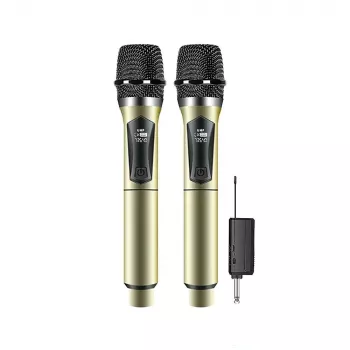
Passing a microphone from one singer to the next can keep karaoke night moving. In a meeting, the same handheld format lets people share questions and announcements without taking turns at a fixed podium. Our wireless rechargeable handheld UHF microphone comes with a receiver, making it an option for both occasions—as long as your sound equipment has a suitable way to connect.
Where a handheld microphone comes in handy
A handheld microphone gives you a simple way to control when your voice is picked up: bring it toward your mouth to speak or sing, then lower it when you’re done. You can also pass it to the next person. That makes it useful for a group sing-along, audience questions, or a meeting where several people need a turn.
Our Wireless Rechargeable Handheld UHF Microphone with Receiver for Karaoke and Meetings provides a wireless handheld mic and receiver. It is not a speaker or a complete karaoke system. If you want guests to hear the vocals throughout a room, you’ll still need compatible equipment to amplify them.
Check your sound setup before you start
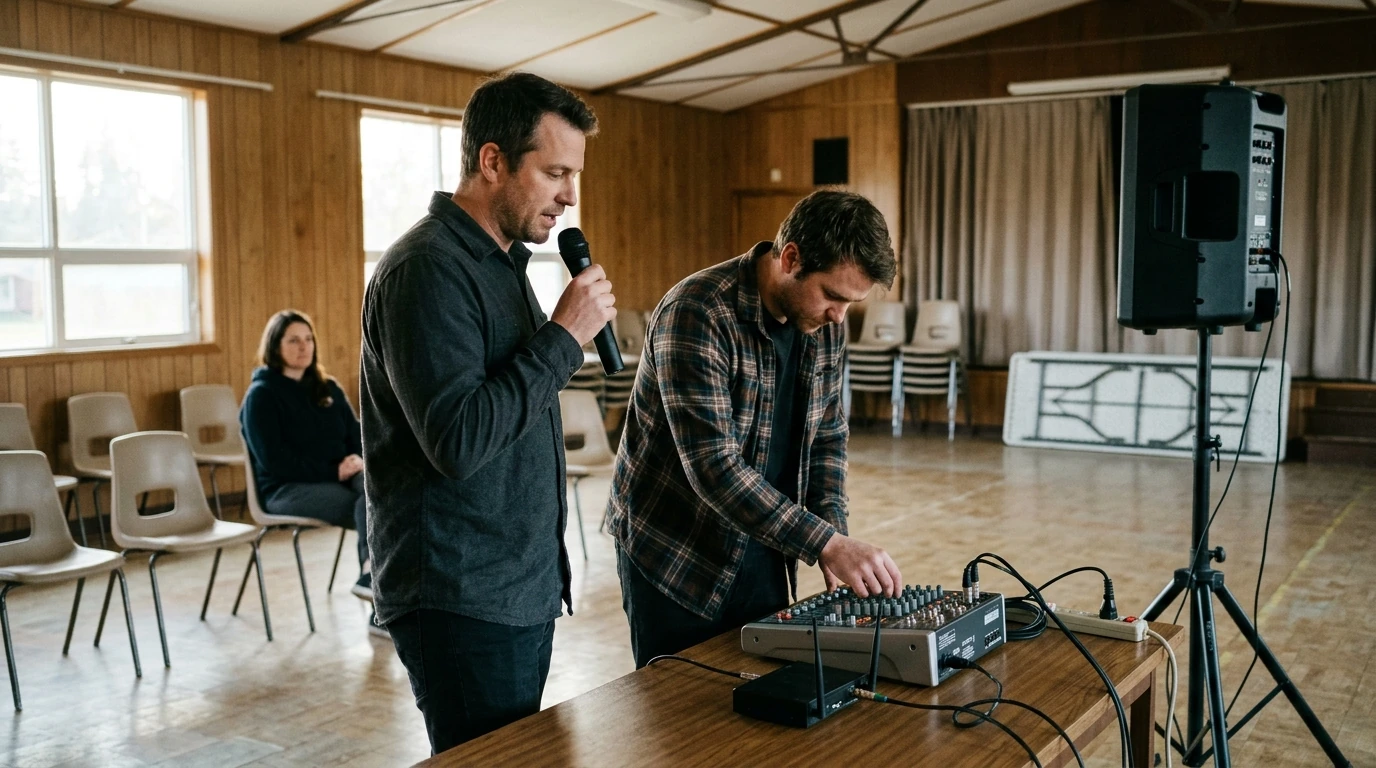
The signal path is straightforward: you speak or sing into the microphone, it sends audio wirelessly to its receiver, and the receiver connects to your sound equipment. Before ordering, look at the inputs on your speaker, mixer, or karaoke system and confirm the connector requirements in the current product details. A powered speaker that plays music, for example, is not necessarily equipped with the right microphone input.
Think about where the receiver and sound controls will sit, too. Someone should be able to reach the volume control during a sound check without interrupting the person holding the mic. If you’re using the microphone in a shared room, find out which audio equipment you’re allowed to connect to before the event.
A quick setup check for each occasion
| Occasion | What to check | Practical preparation |
|---|---|---|
| Karaoke at home | An appropriate input on the sound system | Test the vocal level against the music before guests arrive. |
| Small-group meeting | A connection to the room’s audio equipment | Try the microphone from each planned speaking position. |
| Shared questions or announcements | A clear path for passing the handheld microphone | Agree on who will manage the receiver and sound level. |
Make the first sound check count
Give yourself a few minutes before people gather. Charge the rechargeable equipment as directed in its included instructions, then connect the receiver and turn on the sound equipment. Start with a modest volume. Speak at a comfortable distance from the microphone and ask someone to listen from where the audience will sit, rather than judging the sound only from beside a speaker.
For a meeting, test an ordinary speaking voice. You want a quiet speaker to be understandable without making a louder speaker uncomfortable to hear. If several people will use the mic, have more than one person try it so you can settle on a workable starting level. For karaoke, play the backing music during the test and adjust the vocal level against it. Testing the microphone alone won’t tell you whether a singer can be heard over the track.
If you hear a squeal, lower the volume first. Keep the microphone away from the front of loudspeakers where possible, and avoid pointing it toward them. Adjusting where the person stands or where a speaker faces can help you get usable sound without simply turning everything up.
Choose the right fit for your plans
One handheld mic can be a practical choice when your plans alternate between casual performances and spoken presentations. The deciding factor is your setup: confirm the receiver’s connection requirements, make sure you have an appropriate audio input, and plan how you’ll charge the equipment before use. For a meeting venue or other shared space, ask about its equipment rules as well.
Wireless-microphone use can also be subject to local requirements. In the United States, the Federal Communications Commission’s wireless microphone guidance is a useful starting point. Confirm the current product details and applicable rules for where you’ll use the mic rather than assuming a particular operating range, runtime, or frequency.
When your audio connections and charging plan are in place, you can view the Wireless Rechargeable Handheld UHF Microphone with Receiver for Karaoke and Meetings to make your final decision. Browsing for a separate household project? Our Cactus Cat Tree Tower with Scratching Post & Condo Nest is another in-stock option, though it is not part of the audio setup.
FAQ
Do I need a speaker to use this wireless microphone?
Yes. For sound people can hear around the room, the receiver must connect to compatible audio equipment that can amplify it; check the available inputs before ordering.
Can the same microphone work for karaoke and meetings?
The handheld format suits both singing and speech. Whether it works with your particular setup depends on its audio connections and the room’s needs.
How can I reduce feedback during a sound check?
Begin at a moderate volume and avoid pointing the microphone toward speakers. If you hear a squeal, lower the volume and adjust the microphone or speaker placement.









Leave a comment