
Ultra-Slim 2.4G USB Wireless Mouse for Travel
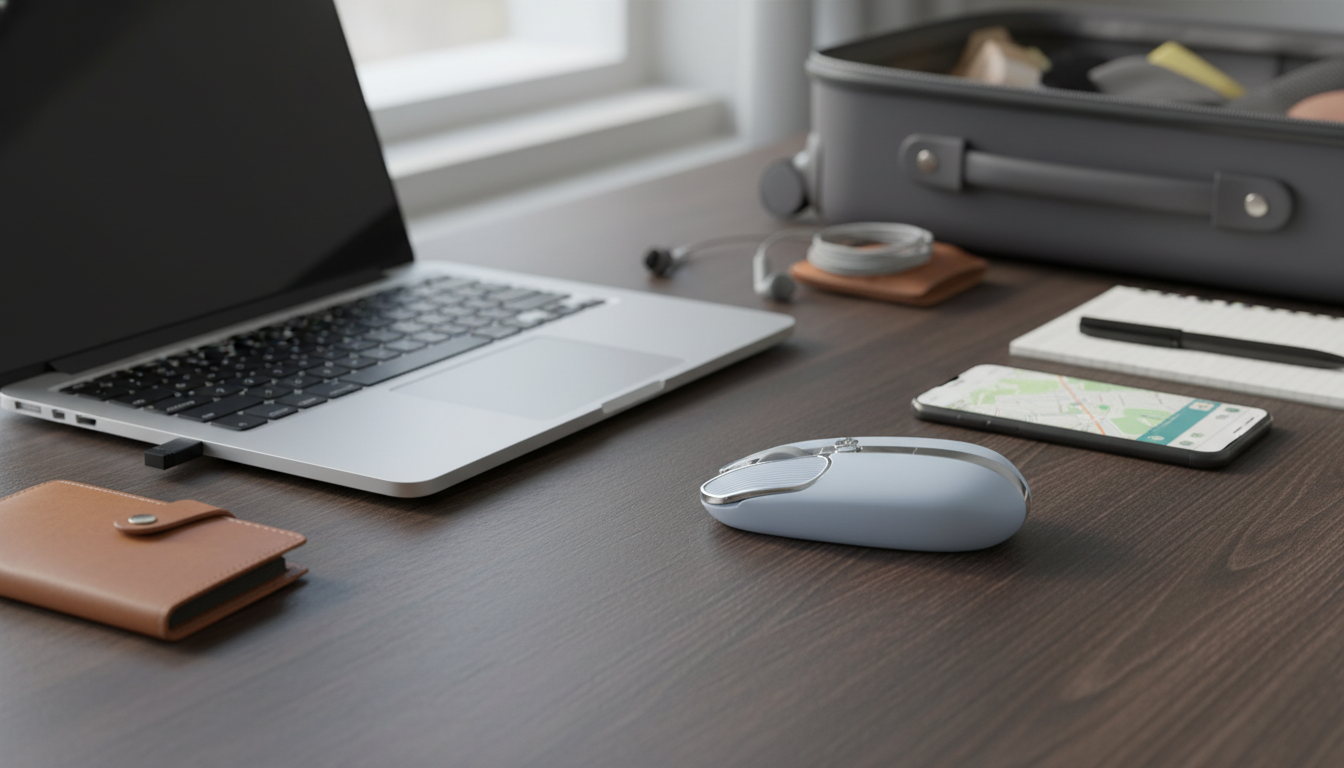
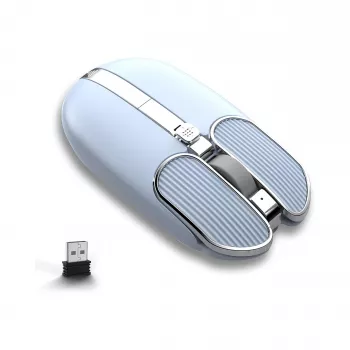
Ultra-Slim Wireless USB Mouse – Portable 2.4G Computer Mouse
An ultra-slim wireless mouse is a simple upgrade for travel, hybrid work, and clutter-free desks. This portable 2.4G USB mouse focuses on easy plug-and-play setup, reliable everyday tracking, and a low-profile shape that slips into laptop sleeves without bulking up a bag. For commuters and students who bounce between rooms (or anyone tired of wrestling with a trackpad), a slim wireless mouse can make a small workspace feel instantly more efficient. For more guidance, see wireless-mouse.org: Ultra-slim Wireless Mouse.
If you’re looking for a straightforward option that’s easy to pack and easy to connect, the Ultra-Slim Wireless USB Mouse – Portable 2.4G Computer Mouse keeps the basics simple: plug in the receiver, power on, and get to work. For further reading, see Ultra Wireless Mouse | wireless-mouse.org.
What makes an ultra-slim 2.4G USB mouse different
Ultra-slim mice are designed for portability first—without giving up the familiar feel of a real mouse. Here’s what sets a low-profile 2.4G USB model apart from bulkier desk mice or Bluetooth-only travel options:
- Low-profile body designed to pack flat alongside a laptop, tablet keyboard, or notebook.
- 2.4G wireless connection via a USB receiver for consistent performance without relying on Bluetooth pairing.
- Plug-and-play use on most computers: insert receiver, power on, and start using.
- Good fit for commute setups like cafés, libraries, classrooms, and shared workspaces.
- Less cable drag to help keep a compact workspace tidy.
Many operating systems recognize standard mouse inputs using the USB Human Interface Device class, which is why basic functions often work instantly without extra downloads. For deeper background, see the USB HID Class Specification (USB-IF).
Quick overview and key details
A portable wireless mouse is a practical everyday tool—especially when a trackpad feels cramped, jumpy, or awkward for long sessions. A slim 2.4G model is typically a budget-friendly way to build out a travel kit or keep a backup mouse ready for surprise hot-desking days.
At-a-glance features
| Detail | What it means for daily use |
|---|---|
| Ultra-slim profile | Easier to slide into slim laptop compartments and small pouches |
| 2.4G wireless + USB receiver | Simple connection and steady performance without Bluetooth pairing steps |
| Portable build | Convenient as a secondary mouse for travel or shared desks |
| Everyday computer mouse | Suited to routine productivity tasks like documents, email, and web navigation |
Setup in under a minute
One of the biggest advantages of a 2.4G USB receiver mouse is how quickly it can be deployed—especially when you’re arriving late to class or setting up in a tight seat at the airport.
- Insert the USB receiver into an available USB port (use a USB-A adapter if the laptop only has USB-C).
- Turn the mouse on (or activate it) and allow the operating system a moment to recognize the device.
- Confirm cursor movement and scroll; additional driver downloads are typically not required for standard mouse functions.
- For travel reliability, store the receiver in a safe spot. If the mouse doesn’t have a receiver bay, a small pouch helps prevent loss.
If you ever need troubleshooting basics (pointer speed, scrolling behavior, or general input settings), Microsoft’s official help hub is a useful reference: Mouse, touchpad, and keyboard help.
Comfort and control for portable work
Ultra-slim mice prioritize packability, so comfort depends on your hand size and grip style. Fingertip and claw grips often feel more natural on low-profile shapes because the mouse doesn’t push your palm upward. If you’re used to a larger ergonomic mouse at home, the slim feel may take a day or two to adjust to.
- A compact mouse can reduce strain from awkward trackpad angles during long typing sessions.
- For longer desk sessions, alternating with a fuller-size mouse can help if palm support is needed.
- As a “go-bag” mouse, an ultra-slim option is lightweight, quick to deploy, and easy to store after use.
For travel and campus life, the convenience factor is often the real win: you can work faster than a trackpad without adding noticeable weight to your bag.
Connectivity tips for consistent performance
2.4G receiver mice are generally stable, but small changes in placement can improve responsiveness—especially in busy environments full of Wi-Fi devices and Bluetooth accessories.
To round out a travel-ready kit, a small wall charger can reduce outlet juggling. The 10W Dual USB Fast Charger Adapter for Smartphones & Travel Use is an easy add-on for topping up a phone and an accessory at the same time.
Who this mouse suits best
Care and maintenance
Related essentials for a travel-ready setup
FAQ
Does a 2.4G USB wireless mouse work without Bluetooth?
Yes. A 2.4G wireless mouse connects through its USB receiver (dongle), so it typically doesn’t require Bluetooth at all. On most computers, it’s plug-and-play for standard mouse movement and scrolling.
Will it work with a laptop that only has USB-C ports?
It can, as long as you use a USB-C to USB-A adapter or a hub so the USB receiver can be plugged in. Once connected, the mouse usually works like it would on a USB-A port.
Is an ultra-slim mouse comfortable for all-day use?
It depends on hand size and grip style. Ultra-slim designs favor portability, so they often feel best for travel and shorter sessions; for long desk days, switching to a fuller-size mouse can add palm support.















Leave a comment