AI Tools for Better Workplace Communication (No Robotic Tone)
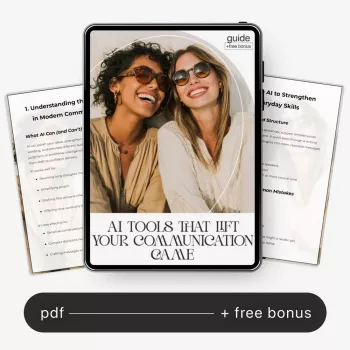
AI Tools That Lift Your Communication Game: Practical Ways to Improve Messaging, Writing, and Professional Growth
Clear communication is a career multiplier, but speed, tone, and clarity can break down under pressure—especially in fast-moving workplace channels. AI can help tighten writing, shape the right tone, summarize complex threads, and support better conversations without replacing human judgment. Below are practical ways to use AI across email, chat, documents, and meetings—plus simple guardrails to keep your work accurate, private, and professional.
What “better communication” looks like at work
- Clarity: the reader understands the ask, the context, and the next step on the first pass.
- Brevity: fewer words, same meaning—especially for chat and status updates.
- Tone control: confident and respectful without sounding harsh, vague, or overly casual.
- Structure: scannable writing (subject lines, headings, bullets, and clear calls to action).
- Consistency: messaging aligns across email, chat, docs, and presentations.
AI is most useful when you treat it like a communication assistant: it helps you get organized, anticipate confusion, and reduce friction—while you remain responsible for accuracy, context, and intent.
Where AI helps most: high-frequency communication moments
- Email: turning rough notes into a clear message with a direct ask and timeline.
- Slack/Teams: rewriting quick replies to reduce misinterpretation and avoid escalating tone.
- Docs and proposals: improving flow, transitions, and headings so the argument is easier to follow.
- Meeting prep: drafting agendas, decision logs, and short pre-reads to align stakeholders.
- Post-meeting follow-ups: converting notes into action items with owners and deadlines.
Common workplace scenarios and helpful AI support
| Scenario | What to ask AI to do | What to double-check before sending |
|---|---|---|
| Reply to a tense message | Offer 2–3 calmer rewrites with the same meaning | Tone, assumptions, and whether the response matches company norms |
| Request something from a busy stakeholder | Create a short message with clear context and a single primary ask | Accuracy of context; make sure the ask is realistic and specific |
| Summarize a long thread | Extract decisions, open questions, and next steps | Missing nuance; confirm decisions with the source if unclear |
| Write a status update | Turn bullet notes into a concise update in a standard format | Numbers, dates, and any commitments—avoid overpromising |
| Draft a performance self-review | Organize accomplishments using impact, metrics, and examples | Confidential details; ensure it reflects real work and outcomes |
A simple workflow: draft → refine → verify
- Draft: start with bullet points (goal, audience, must-include facts, desired tone).
- Refine: ask for multiple versions (short, standard, and detailed) and choose the best fit.
- Verify: confirm facts, dates, names, and any claims; remove anything you cannot stand behind.
- Humanize: add context only you know (constraints, relationships, team norms).
- Finalize: keep one clear call to action and specify a deadline or next step when needed.
This workflow keeps you from treating AI output as “ready to send.” It also helps you develop repeatable habits: you’ll notice which edits you make every time (too long, too vague, too sharp) and build a personal checklist that improves future drafts.
Use cases that build long-term communication skill
- Tone coaching: compare how the same message lands as direct vs. diplomatic vs. collaborative.
- Clarity training: ask for the “most likely misunderstandings” and fix them proactively.
- Audience adaptation: rewrite for executives, peers, customers, or cross-functional partners.
- Conciseness drills: shorten messages by 30–50% without losing meaning.
- Argument strength: request counterarguments and missing evidence to improve persuasiveness.
Over time, you’ll start predicting what AI will suggest: lead with the ask, put dates in the first paragraph, replace fuzzy phrases (“ASAP,” “soon,” “a lot”) with specifics, and separate “FYI” from “Action needed.” That transfer of skill is the real win.
Smart guardrails: privacy, accuracy, and professionalism
- Protect sensitive data: avoid pasting confidential information, personal data, or unreleased financials into public tools.
- Assume errors: AI can fabricate details—verify names, dates, metrics, and policy references.
- Avoid “authority tone”: confident phrasing can hide uncertainty; keep statements evidence-based.
- Keep ownership: AI should support your message, not replace accountability for what gets sent.
- Follow workplace policies: use approved tools and respect retention and compliance requirements.
For a practical risk lens, it helps to skim established guidance on AI and information security, such as OWASP’s Top 10 for LLM Applications and the NIST AI Risk Management Framework. For communication fundamentals—especially around clarity and audience—reviewing principle-based resources like the NIH National Library of Medicine’s overview of communication principles can strengthen your baseline, even outside healthcare.
Practical templates to copy into your tool of choice
Recommended guide: a structured way to improve workplace messaging and writing
- AI Tools That Lift Your Communication Game | Guide for AI Tools to Improve Communication Skills, Workplace Messaging, Writing & Professional Growth
- Alviero Martini Prima Classe Women’s Beige Bag with Zip (a practical option for carrying a notebook, laptop, and meeting essentials when you’re on the move)
FAQ
Can AI help with workplace communication without making messages sound robotic?
Yes—use AI for structure and clarity, then add human context, specific details, and a tone aligned with your team. Asking for multiple tones (direct, neutral, warm) makes it easier to choose a version that sounds like you.
What should not be shared with AI when drafting messages for work?
Avoid confidential company information, personal data, sensitive HR details, customer secrets, and anything restricted by policy. When you need help, anonymize names and replace exact numbers with ranges or placeholders you can fill in later.
How can AI improve communication skills over time, not just fix one message?
Use it for iterative practice: compare rewrites, study what changed, run conciseness drills, and ask for likely misunderstandings. Keep a short checklist of recurring fixes (clear ask, scannable structure, concrete deadlines) and apply it before you generate the next draft.









Leave a comment