
USB Wired Headset for PC: Noise-Reducing Mic, Inline Mute
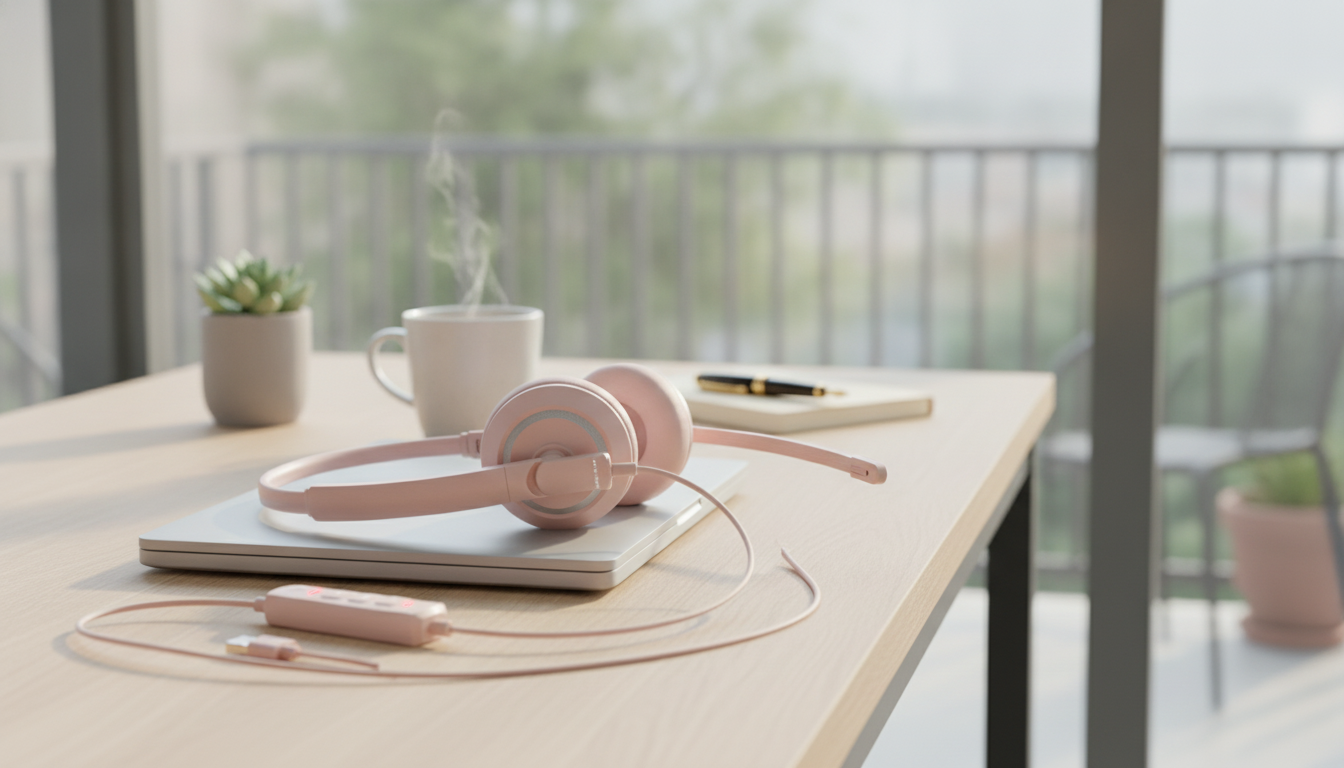
USB Wired Headset with Noise Cancelling Mic & In-Line Control for PC Laptop
A dependable USB wired headset can make day-to-day calls, virtual classes, and team meetings feel less stressful: audio stays consistent, the microphone comes through more clearly, and mute/volume controls are right where you need them. If you’re tired of Bluetooth pairing hiccups or switching audio devices mid-call, a USB headset is a simple upgrade that works well for both home and office setups.
Quick Overview
- USB connection for straightforward plug-and-play on most computers
- Noise-reducing microphone helps limit background distractions during calls
- In-line controls provide fast access to mute and volume adjustments
- Wired design avoids battery charging and wireless dropouts
At a Glance
| Feature | What it does | Why it matters |
|---|---|---|
| USB wired connection | Routes audio and mic through a single USB port | Stable connection and simple setup for PC/laptop use |
| Noise cancelling / noise-reducing mic | Helps suppress ambient sounds | Clearer speech in shared rooms or home offices |
| In-line control | Convenient buttons for mute/volume | Faster call control without digging into software settings |
| Wired reliability | No battery, no pairing | Consistent performance for long meetings and classes |
Who This Headset Fits Best
- Remote work and video meetings where quick mute/unmute matters
- Students attending online classes, lectures, or language learning sessions
- Customer support, reception, and administrative work that involves frequent calls
- Gaming or voice chat users who prefer a stable wired setup for communication
- Shared households where background noise can interfere with speech
If your day includes frequent “Can you repeat that?” moments, a USB headset with a noise-reducing mic can help your voice stay understandable without constantly adjusting settings. And if you jump between meetings, in-line mute is often the difference between feeling in control and feeling rushed.
Noise Cancelling Mic and In-Line Controls: What to Expect
“Noise cancelling” on a headset mic typically means noise reduction designed for everyday environments rather than complete silence. It’s most effective against steady, predictable sounds such as computer fans, HVAC hum, or low background chatter. Sudden noises (a door slam, barking, a loud keyboard) can still come through—just usually less prominently.
- Microphone noise reduction usually targets steady background sounds rather than eliminating all noise.
- For clearer speech, place the mic a couple of finger-widths from the corner of your mouth (not directly in front of your lips).
- In-line controls are ideal for quick changes during a meeting—especially mute when interruptions happen.
- Software settings still matter: selecting the headset as the default input/output device prevents audio from jumping to laptop speakers.
In-line controls are especially handy when you’re screen-sharing or presenting. Instead of hunting for the mute icon, you can tap the hardware button and keep your attention on the conversation.
Setup on PC or Laptop (Fast Checklist)
- Connect the headset to an available USB port directly on the computer when possible (avoid unpowered hubs if you can).
- Open system sound settings and choose the headset for both Output (speakers) and Input (microphone).
- In conferencing apps, confirm the same device is selected inside the app’s audio settings.
- Run a short test recording or a meeting “test call” to confirm mic level and playback volume.
- If audio seems low, check both system volume and any in-line volume control position.
If you run into audio issues, these official guides can help you troubleshoot quickly: Microsoft Support: Fix sound or audio problems in Windows and Zoom Support: Testing computer or device audio. For more on the USB standard itself, see USB-IF resources.
Comfort and Daily Use Tips
- For long sessions, take short breaks to reduce ear fatigue and adjust headband fit.
- Keep a little cable slack to avoid tugging the USB connector or pulling the headset off-center.
- Mute when typing or when there’s a sudden noise in the room to keep calls professional.
- Wipe ear pads and the mic area occasionally to keep the headset fresh, especially if used daily.
Small habits make a big difference. Keeping the mic positioned correctly and using hardware mute at the right times can improve how others hear you more than cranking up gain or switching apps.
Product Option Available Now
If you want a straightforward wired choice built for calls, classes, and meetings, consider the USB Wired Headset with Noise Cancelling Mic & In-Line Control for PC Laptop. It’s a practical pick when consistent connectivity and quick call controls matter more than wireless mobility.
Also available in-stock:
- Cactus Cat Tree Tower with Scratching Post & Condo Nest
- Alviero Martini Prima Classe Women’s Beige Bag with Zip
FAQ
Will a USB wired headset work with both a PC and a laptop?
Yes—most PCs and laptops with a standard USB port can use a USB wired headset. For the smoothest experience, set the headset as the default input/output device in your system sound settings and confirm the same selection inside your meeting or calling app.
Does a noise cancelling microphone remove all background noise?
No. A noise-reducing mic can lower steady ambient sounds, but it can’t fully erase loud, sudden noises. You’ll get the best results by placing the mic slightly to the side of your mouth and keeping room noise as controlled as possible.
Why does the mute button not seem to work in some apps?
Mute behavior can vary by operating system and application, and some apps handle mute independently from hardware controls. Make sure the headset is the active microphone in the app, check microphone permissions, and test the button in another app or in your system audio settings to confirm whether the mute is app-specific.














Leave a comment