71-Key Hot-Swap Wireless Keyboard for Gaming Flex
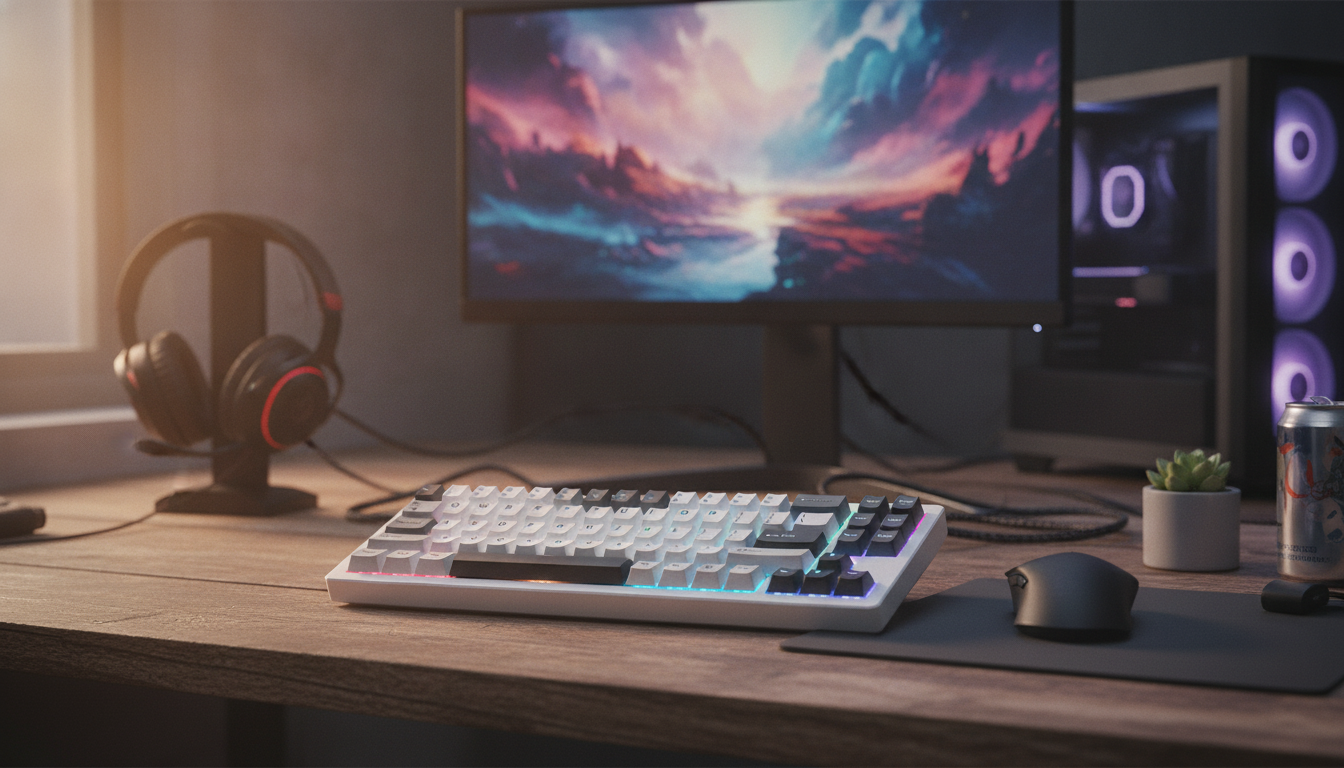
Hot Swap 71-Key Wireless Mechanical Gaming Keyboard: Compact Control, Custom Feel
A 71-key wireless mechanical keyboard is built for a tighter desk setup without giving up the core keys used for gaming and everyday typing. Add hot-swappable switch sockets and it becomes a flexible platform: change the sound and feel of each key without soldering, tune the layout to muscle memory, and keep cables optional for a cleaner setup. For more guidance, see Redragon K552 Mechanical Gaming Keyboard, 87-Key ….
Why a 71-key layout works for gaming and daily use
A 71-key layout sits in the sweet spot between “minimal” and “still practical.” It trims width compared to a full-size board, which often matters more than people expect once long gaming sessions (and big mouse movements) become the norm. For further reading, see GravaStar Mercury K1 75% Wireless Mechanical Gaming ….
- More mouse room: A compact footprint frees space for low-sensitivity aiming and wider mousepad movement.
- Less hand travel: Keeping frequently used keys close together reduces reach and keeps hands in a more consistent position.
- Useful keys preserved: Many 71-key boards retain arrow keys and condensed clusters (exact positioning varies by model).
- Great for mixed use: With smart shortcuts and layers, a smaller board can handle gaming, chat, and everyday productivity without feeling cramped.
Hot-swappable switches: what it changes in real life
Hot-swap support is more than a hobby feature—it’s a practical convenience. Instead of committing to one switch feel forever (or risking soldering), you can adjust the board as preferences evolve.
- Fast customization and safer repairs: Replace switches without soldering, lowering the chance of PCB damage and making troubleshooting simpler.
- Try different switch types: Linears for smooth rapid taps, tactiles for feedback and control, or clickies for audible confirmation.
- Targeted tuning: Put quieter switches on late-night keys, heavier springs on keys you bump accidentally, or faster-feeling linears where repeated presses matter most.
- Less downtime: If one switch starts misbehaving, swapping a single switch can restore consistency without replacing the keyboard.
Switch and socket compatibility checklist
Compatibility is where many upgrades succeed or fail. Before ordering switches, keycaps, or stabilizer parts, confirm the basics so everything fits the first time.
- Socket style: Many boards use MX-style hot-swap sockets, but confirm the switch family your board supports.
- 3-pin vs 5-pin switches: Some PCBs accept both; others may require 5-pin legs trimmed (or only accept 3-pin).
- Keycap stem fit: Most mechanical sets use MX-style stems, but always verify before buying premium caps.
- Stabilizer quality matters: Spacebar, shift, and enter keys are often improved more by stabilizer tuning than by swapping every switch.
Quick compatibility and buying checklist
| Item to check | Why it matters | What to verify before ordering |
|---|---|---|
| Hot-swap socket type | Determines which switch formats fit reliably | MX-style support; 3-pin vs 5-pin tolerance |
| Layout (71-key arrangement) | Affects keycap set fit and muscle memory | Right shift size, bottom-row sizes, arrow cluster placement |
| Wireless method | Impacts stability and latency expectations | Bluetooth vs 2.4 GHz dongle (if offered), device switching support |
| Keycaps | Controls feel, durability, and sound | Material (PBT/ABS), profile, legends, compatibility with layout |
| Stabilizers | Major influence on rattling and smoothness on large keys | Type (plate/PCB mount) and ease of tuning/lubing |
| Battery and charging | Determines time between charges | Charging port type, indicator behavior, use-while-charging support |
Wireless performance: stability, latency, and desk setup
Wireless mechanical keyboards can feel excellent for gaming when the connection is stable and the desk environment is friendly to radio signals. Bluetooth is widely supported across laptops, tablets, and desktops, while some keyboards also offer a 2.4 GHz receiver option for a more “plug-and-play” experience.
- Receiver placement matters: If a dongle is used, keep it close to the keyboard and away from congested USB hubs to reduce dropouts.
- Bluetooth quality depends on the host: A strong radio in the PC/laptop helps; crowded wireless environments can still cause hiccups.
- Mind USB 3.0 noise: Some setups get more interference near busy USB ports or poorly shielded hubs.
- Wired fallback is useful: If the keyboard supports wired mode, it’s a reliable option during charging sessions or when maximum consistency is desired.
For deeper background on Bluetooth versions and how the standard works across devices, visit the Bluetooth Technology website.
Key feel and sound tuning for a “gaming-ready” build
Everyday practicality: battery habits, charging, and portability
Setup and maintenance basics
Product spotlight: Hot Swap 71-Key Wireless Mechanical Gaming Keyboard
If the goal is compact control with room to personalize later, the Hot Swap 71-Key Wireless Mechanical Gaming Keyboard is built around the features that make this category so appealing: a space-saving layout, hot-swappable switch support for easy customization, and wireless convenience to keep the desktop clean and flexible. It’s a strong fit for anyone who wants a smaller mechanical board now, plus the option to tune switches over time as preferences change.
More in-stock picks
- Cactus Cat Tree Tower with Scratching Post & Condo Nest
- Alviero Martini Prima Classe Women’s Beige Bag with Zip
- Dolce & Gabbana Gold Charm Necklace with Carretto Pendants and Crystals
FAQ
What does “hot-swappable” mean on a mechanical keyboard?
It means the switches can be removed and replaced without soldering. Fit depends on the hot-swap socket and the switch pin format, so insert switches straight and check pins before pressing them in.
Is a wireless mechanical keyboard good for gaming?
Yes, as long as the connection is stable and interference is kept in check. Keeping the receiver close (if used) and using wired mode during charging can improve consistency.
Will any keycap set fit a 71-key layout?
Not always. Many keycaps fit MX-style stems, but condensed layouts can use uncommon sizes (like right shift or bottom-row keys), so check the layout measurements before buying a set.








Leave a comment