Digital Cleaning System: App-Based Routine for Busy Homes
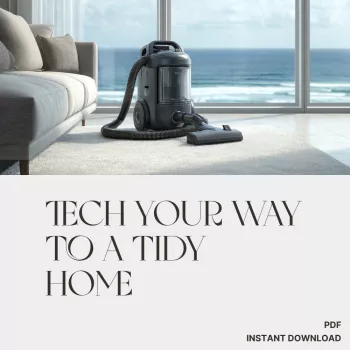
Tech Your Way to a Tidy Home: A Digital Cleaning System for Busy Days
Keeping a home clean doesn’t have to rely on memory, motivation, or marathon weekends. A simple digital setup—using a few familiar apps—can turn cleaning into small, scheduled steps that fit around work, family, and real-life interruptions. The goal is a system that makes the “next right thing” obvious, even on chaotic days.
A digital cleaning system that actually sticks
The most reliable setup is usually the least complicated. Instead of juggling five apps and a dozen lists, build a three-lane workflow that repeats the same way every week.
- One place to capture tasks (inbox), one place to plan (schedule), and one place to check off (tracker) to reduce app-hopping.
- Keep it lightweight: daily basics + a rotating weekly focus beats an overly detailed plan that gets abandoned.
- Separate maintenance from projects: “maintenance” repeats (dishes, floors) while “projects” are one-time deep cleans (declutter pantry, shampoo rug).
- Consistency over perfection: a 10-minute reset done often usually outperforms rare, exhausting cleaning marathons.
If you want extra clarity around what matters most (and what can wait), the CDC’s guidance is a practical baseline for everyday cleaning vs. targeted disinfecting: CDC: When and How to Clean and Disinfect Your Home.
Pick your tools: the simplest app stack
You don’t need a new platform—just a small stack that handles repeating tasks, time protection, and quick reference notes.
- Task manager (checklists + recurring tasks): Todoist, Microsoft To Do, TickTick, or Apple Reminders.
- Calendar (time-blocking): Google Calendar, Apple Calendar, or Outlook to protect short cleaning windows.
- Notes (reference): Apple Notes, Google Keep, or Notion for supply lists, routines, and “how-to” steps.
- Optional: a smart speaker/voice assistant for hands-free add-ons (e.g., “add dishwasher pods to the list”).
Common app options by need
| Need | What to look for | Examples |
|---|---|---|
| Recurring cleaning tasks | Repeats by day/week/month, easy reschedule, subtasks | Todoist, Microsoft To Do, Apple Reminders |
| Time protection | Simple blocks, reminders, shared calendars | Google Calendar, Outlook Calendar |
| Family coordination | Shared lists, assigned tasks, notifications | Todoist (shared projects), Microsoft To Do (shared lists) |
| Supplies & routines | Fast capture, checklists, templates | Apple Notes, Google Keep, Notion |
Build a routine in 20 minutes: inbox → schedule → checklist
Set a timer and keep momentum. The objective is “good enough to run,” not a perfect master plan.
- Brain-dump recurring tasks in one list: dishes, laundry, trash, bathroom wipe-down, floors, bedding, pet areas.
- Label by frequency: daily, 2–3× weekly, weekly, monthly, seasonal.
- Create repeating tasks in your task app and keep names action-based (for example, “Wipe bathroom sink & mirror”).
- Time-block 10–20 minutes for a daily reset plus one weekly “power block.” Treat the calendar block like a small appointment.
- Add a weekly catch-up buffer for anything missed—no guilt, just a planned landing zone.
When the system feels too strict, loosen it by shortening the blocks, not by deleting the structure. Habit research consistently points to repeatable cues and manageable steps as the “sticky” part of behavior change (browse summaries via PubMed).
A clean-home rhythm for busy people (daily, weekly, monthly)
Think in layers. Daily is about preventing chaos; weekly is about restoring baseline cleanliness; monthly and seasonal cover what doesn’t fit elsewhere.
Daily (10 minutes)
- Dishes reset (load/run dishwasher or quick hand-wash)
- Counters quick wipe
- Clutter sweep (one basket pass)
- One laundry touch: start a load, move to dryer, or a fast fold sprint
Weekly (30–60 minutes total, split)
Monthly (30–90 minutes total, split)
Indoor air basics—and when filters matter—are covered well here: EPA: Indoor Air Quality.
Sample schedule that minimizes decision fatigue
| Day | 10–20 min focus | Optional add-on (5–10 min) |
|---|---|---|
| Mon | Kitchen reset + wipe counters | Take out trash/recycling |
| Tue | Bathroom surfaces | Restock toiletries |
| Wed | Floors quick pass (main areas) | Dust one zone |
| Thu | Laundry start/fold sprint | Change towels |
| Fri | Bedroom reset + sheets | Empty small bins |
| Sat | Catch-up buffer | Donation bag prep |
| Sun | Plan week + supplies check | Clean out fridge shelf |
Make reminders helpful (not annoying)
Share the load: assignments and visibility for households
Stress-free upgrades: templates, QR codes, and quick wins
A guided option for setting it up faster
If you’d rather skip the trial-and-error phase, a ready-made framework can help you get a working routine in one sitting. Tech Your Way to a Tidy Home | Digital Cleaning Guide for Busy People is designed around app-friendly checklists, realistic time blocks, and a gradual ramp-up approach.
For homes with pets, reducing scattered fur and litter tracking is easier when you give pet zones their own repeating tasks (vacuum entry path, wipe feeding mat, shake out pet bedding). A dedicated setup like the Cactus Cat Tree Tower with Scratching Post & Condo Nest can also help contain scratching and lounging to one spot—making the surrounding cleanup faster and more predictable.
FAQ
What’s the best app for tracking cleaning tasks?
The best choice is the one you’ll actually open: prioritize recurring tasks, easy rescheduling, and sharing if you live with others. Todoist, Microsoft To Do, and Apple Reminders are solid options, and starting with whatever is already on your phone keeps setup simple.
How do you keep a cleaning schedule when you’re exhausted or short on time?
Use a minimum-viable routine (5–10 minutes) that hits the highest-impact tasks, and rely on a weekly catch-up buffer for anything missed. Breaking chores into tiny steps (like “wipe sink” instead of “clean bathroom”) makes it easier to start even when energy is low.
How can roommates or families stay consistent without constant reminders?
Shared lists with assigned tasks work best when responsibilities are specific and visible to everyone. A weekly 5-minute check-in plus a pinned dashboard (shared list or calendar view) reduces ambiguity, so reminders become the exception instead of the system.










Leave a comment