Portable 720p WiFi 6 Projector for Outdoor Movie Nights
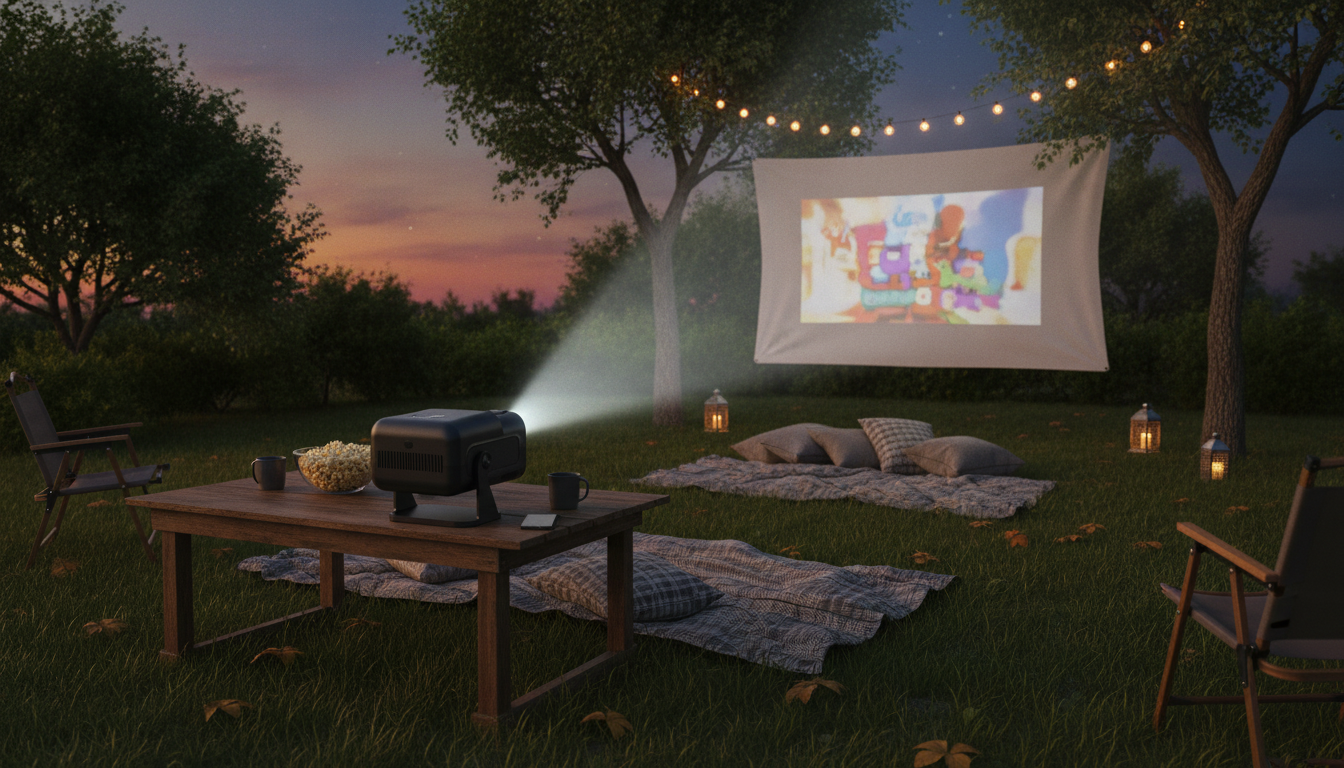
Portable 720P HD Projector with WiFi 6 & Bluetooth 5.0 for Home and Outdoor Movie Nights
A compact projector can turn a living room wall, a backyard sheet, or a campsite screen into a big-screen experience. This mini cinema model pairs 720P HD playback with WiFi 6 for smoother casting, Bluetooth 5.0 for easy speaker pairing, and support for up to a 200-inch viewing size—built for quick setup at home or outdoors.
What This Mini Projector Is Best For
- Casual home viewing in bedrooms, apartments, and dorm rooms where a TV feels too large or permanent
- Backyard and patio movie nights when paired with a portable screen or smooth, light-colored wall
- Travel-friendly entertainment for RVs, cabins, and group trips with a power source
- Gaming and sports watch parties where portability and fast setup matter more than cinema-grade calibration
If the goal is a flexible “set it up anywhere” display for movies, highlights, and casual gaming, a compact 720P projector hits a practical balance between picture clarity, portability, and price.
Highlights That Matter Day to Day
- 720P HD playback for a clear picture at typical portable-projector viewing distances
- WiFi 6 support for more stable wireless performance in busy home networks (router-dependent)
- Bluetooth 5.0 to connect a soundbar or portable speaker without running long audio cables
- Up to a 200-inch projected image size for flexible viewing—small for close-up use, larger for groups
- Compact footprint that’s easier to store and move than a TV
WiFi 6 (802.11ax) can help reduce congestion and improve responsiveness on compatible networks; real-world performance depends on your router and distance from it. For background on WiFi 6 capabilities, see the Wi‑Fi Alliance Wi‑Fi 6 overview.
Fast Setup for Living Room, Bedroom, or Backyard
- Placement: start with a mid-size image (around 60–100 inches) and adjust distance until text looks crisp
- Leveling: keep the projector square to the screen/wall to reduce keystone distortion and edge blur
- Power plan: use a nearby outlet indoors; outdoors, confirm access to an extension cord or power station
- Audio plan: for outdoor use, Bluetooth speakers often improve clarity and volume versus built-in audio
- Light control: dim room lights indoors; outdoors, aim for full darkness or strong shade for best contrast
A quick routine that helps: place the projector, align it so the lens faces the center of the screen, then focus after a few minutes of warm-up. That warm-up step can make fine focusing easier and more consistent.
Wireless Casting, Streaming, and Device Connections
- Wireless casting works best when the phone/tablet and projector share the same network; keep the router within a reasonable range
- WiFi 6 benefits depend on the home router and network conditions; performance varies by environment
- For subscription apps, some phones restrict screen mirroring of protected content; using an approved streaming device via HDMI can be more reliable
- Bluetooth is ideal for audio output to speakers; for lowest latency (gaming), a wired audio path can reduce delay
- If a connection drops, restart casting on the phone and power-cycle the projector before re-pairing
Common Connection Methods (What to Use and When)
| Method | Best for | Pros | Trade-offs |
|---|---|---|---|
| WiFi casting/mirroring | Quick sharing from a phone or tablet | No cable clutter; flexible placement | Some apps limit mirroring; network quality matters |
| Bluetooth audio | Better sound indoors/outdoors | Easy speaker pairing; portable | Possible audio delay; speaker battery required |
| HDMI (via streaming stick/console) | Reliable streaming and gaming | Stable picture; fewer app restrictions | Requires cable and often extra power for the device |
| USB/local media (if supported by source) | Offline playback | No internet needed | Format compatibility can vary |
If you’re using HDMI devices often, it helps to keep a short, high-quality cable in the same case as the projector. More on HDMI standards and compatibility is available from the HDMI Licensing Administrator.
Getting the Best Picture in Real Rooms
- Choose the right surface: a dedicated screen gives more consistent brightness and color than painted walls
- Keep image size realistic: bigger isn’t always better—very large images typically look dimmer in ambient light
- Control reflections: avoid glossy walls or wrinkled fabric; both can create hotspots and reduce sharpness
- Fine-tune focus: adjust after the projector warms up for a few minutes to stabilize image clarity
- Sharpen subtitles: reduce image size slightly if text looks soft at the edges
Outdoor Movie Night Checklist
For Bluetooth pairing expectations and device compatibility, the Bluetooth Core Specification overview provides a helpful reference.
Quick Spec Snapshot and What It Means
Featured Picks Available Now
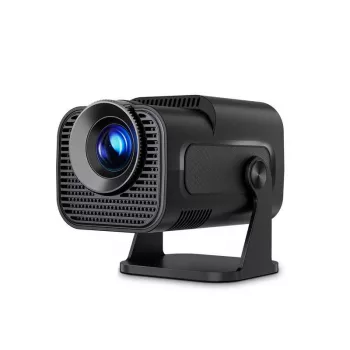
- Portable 720P HD Projector with WiFi 6, BT 5.0 & 200″ Screen – Mini Cinema for Home & Outdoors
- Cactus Cat Tree Tower with Scratching Post & Condo Nest (a cozy companion piece for a relaxed movie corner)
Care, Storage, and Longevity Tips
FAQ
Can a phone stream movies to a projector over WiFi?
Yes—wireless casting or mirroring typically works best when your phone/tablet and the projector are on the same WiFi network. Some subscription apps restrict mirroring of protected content, so using a streaming stick or device via HDMI is often the most reliable option.
How big should the screen be for a portable projector outdoors?
A good starting range is about 80–120 inches, then scale up only when it’s fully dark. Very large images can look dimmer in ambient light, and a proper projector screen can improve perceived brightness versus a sheet or textured wall.
Does Bluetooth improve the sound for movie nights?
Usually, yes—Bluetooth speakers or soundbars tend to deliver clearer dialogue and higher volume than built-in projector speakers. Expect a small chance of audio delay, and place the speaker near the audience (not next to the projector) for better clarity.








Leave a comment